You set up LiMon for a good reason: “I have a handful of license servers and I want to actually see what’s going on with them.” At that scale the audience is you and your closest colleagues. Four or five apps, all yours, all tools you’ve run for years — you could read the raw feature codes in your sleep. nx_motion_ult is NX Motion. 86984ACD2025 is AutoCAD 2025. You don’t need fancy labels; you know what you are monitoring.
Then it works. Someone sees your dashboard in a meeting and asks if their team’s licenses can go on it too. A manager wants the utilization numbers for the renewal conversation. A new analyst inherits half the estate. Word spreads and, suddenly, the audience for your license data quietly stops being your team.
The moment it stops being just yours
The shift is easy to miss because it happens one request at a time.
First you get asked to add a tool you’ve never touched. Some metrology package, a niche solver, a CFD tool with a name that could be a startup or a Pokémon. You point LiMon at the server, it starts polling, and now there’s an app in your portfolio that you can’t identify at a glance — never mind the next person.
Then the readers multiply. The people browsing LiMon are no longer just license admins. They’re IT managers scanning for the renewal that’s about to bite, procurement checking what’s actually deployed before signing a PO, a team lead wondering why their engineers keep getting denied, a brand-new hire trying to build a mental map of an estate that took you years to learn. Each of them knows their own two or three tools cold and has never heard of the other forty.
That’s the real transition: you deployed a tool for an expert, and it grew into a tool for a crowd. The estate didn’t get more familiar as it scaled. The readers got less expert. And the raw license inventory — a wall of vendor mnemonics that made perfect sense to you at five apps — becomes illegible to exactly the people who now need to read it.
The good news is that fixing this costs almost nothing. LiMon already collects the hard part — what’s on every server, who’s using it, when it changes. What’s left is a thin layer of human context on top, and it’s the easiest, highest-leverage housekeeping the tool offers.
What an uncurated portfolio costs
Here’s what the Applications overview looks like when nobody has done that layer. LiMon is monitoring everything correctly — the data is all there — but each app is a colored circle with two initials and a name — no logo, no description.
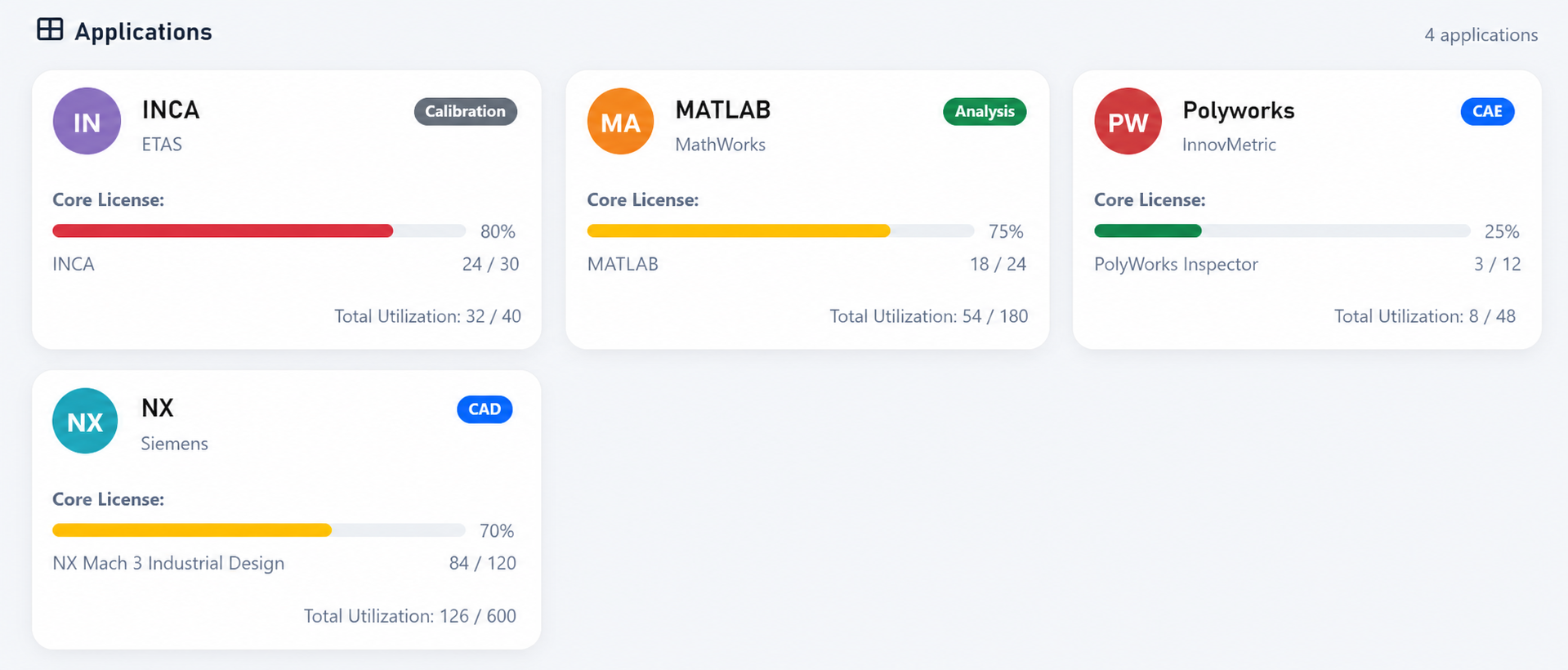
Nobody reads a grid like this top to bottom. You scan it, hunting for the one app you came for, and a logo you know by heart does that for you. Your eye lands on the MATLAB mark or the Siemens tile before you’ve consciously read a word; recognition is instant, and it happens on the shape, not the text.
Reduce every app to two-letter initials and that shortcut is gone. Same circle, same two letters, tile after tile. Now navigating the grid means reading every name in turn. The name is right there; that is not the problem. The problem is that reading is slower than recognizing, and initials put everyone back to reading every single time.
And that’s the lucky case, where the name alone tells you enough. For genuinely unfamiliar tools — the niche solver, a product renamed after an acquisition, the specialist package a single team lives in — the initials view has nothing more to offer: no logo to recognize, no line explaining what the thing even does, just a name and a usage bar.
The knowledge that fills that gap lives in a handful of people’s heads, and it doesn’t scale. The portfolio grew because more people and more tools came aboard. That is exactly when “you already know what that is” stops being true for everyone who isn’t you.
Two minutes per app, and the portfolio reads itself
Now the same four apps, with the humble metadata filled in:
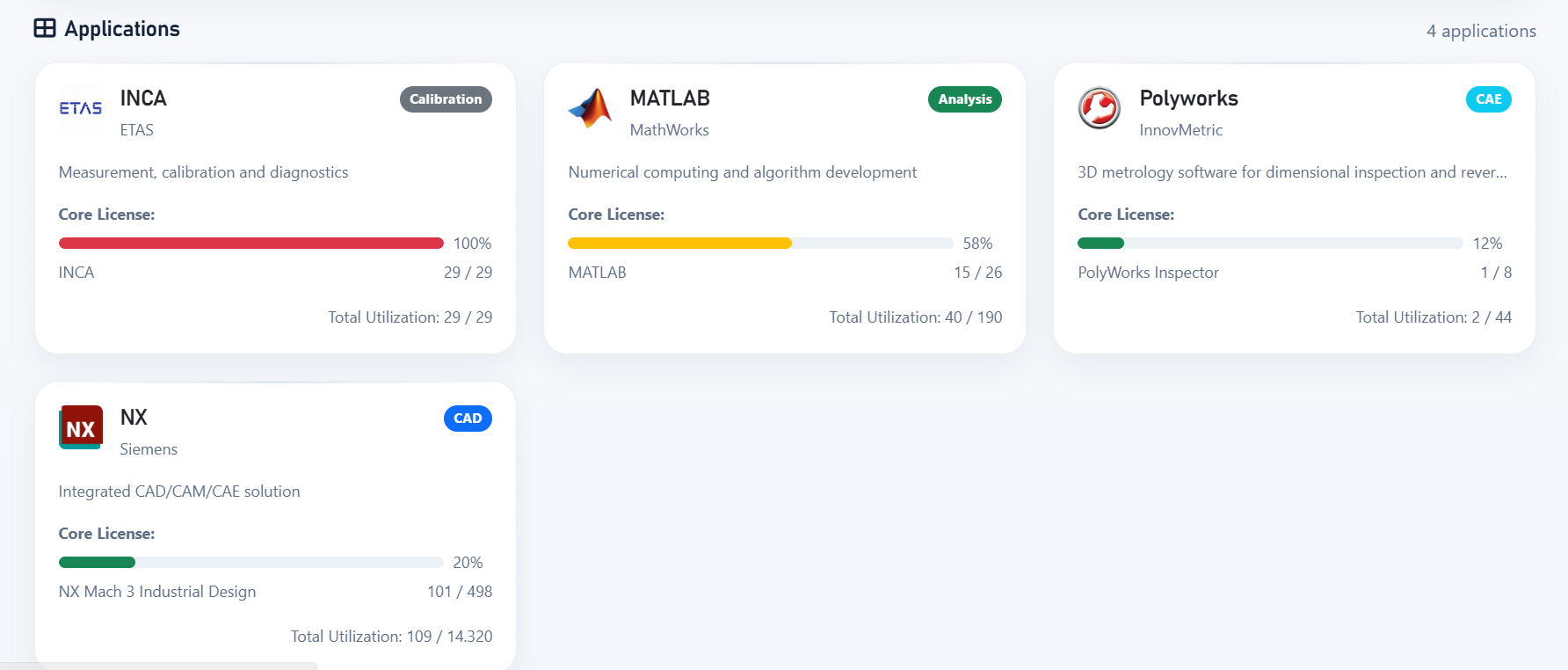
Nothing about the monitoring changed. What changed is that a stranger can now read it at two speeds. The logos carry the fast one: you recognize the MATLAB and Siemens marks before a single word registers, so scanning for a known app is instant again.
The descriptions carry the slow one, for when recognition isn’t enough. INCA is clearly ETAS “Measurement, calibration and diagnostics.” PolyWorks is InnovMetric’s “3D metrology software for dimensional inspection.” NX is the Siemens CAD/CAM/CAE tool, tagged as CAD.
The category chips let someone filter the estate by what a tool does — Analysis, Calibration, CAE — instead of by whether they recognize its name. A procurement lead who has never opened LiMon can scan this in ten seconds and come away with an accurate picture of what the company runs.
The work behind this is small and one-time. In the Admin UI’s Applications area, each app carries a display name, a vendor, a category, a one-line description, and an icon. LiMon ships templates for common products that pre-fill sensible defaults — the display name, category, description, and feature-matching patterns — so most of the metadata takes a couple of clicks.
The icons it deliberately leaves to you. Vendor logos are trademarks and aren’t ours to bundle, so you supply the image yourself: the vendor’s own logo, or any glyph your team will recognize at a glance. Since the icon does the scannability work, that’s a few seconds well spent.
For obscure, niche tools — the ones a newcomer is most likely to trip over — you write the one-line description yourself, once. The cost is a couple of minutes when you add the app; the payoff is a portfolio the next person can actually read. There’s more on managing applications in the Admin UI Applications documentation.
The person best placed to write that one-line description is you, the moment you add the app and still remember what it’s for or can ask the person who requested its addition. Don’t leave it hanging for the person who arrives one year later and has no clue where to start looking.
The same idea, one layer down: friendly feature names
App cards are the portfolio view. But the same legibility problem lives one level deeper, inside each app — in the raw feature strings the license servers actually speak.
Open lmstat and you get lines like nx_motion_ult, CATIA_V5_HARDWARE, 86984ACD2025, solver_token_a. Those are the names in your reports, your denial summaries, your expiration lists — unless something translates them. LiMon’s feature mappings are that translation: a rule maps a raw code (exact, or a LIKE pattern like CATIA_V5_%) to a readable display name, so nx_motion_ult shows up everywhere as “NX Motion Ultimate” and 86984ACD2025 becomes “AutoCAD 2025.”
And just like the application templates, you don’t start from a blank page. LiMon ships with a library of feature mappings for common products, so a good chunk of your inventory arrives already named out of the box — you only add rules for the codes it doesn’t recognize yet, and only the ones your users actually care about.
It’s the same move as the app descriptions, applied to the vocabulary underneath. And it pays off in the same place: when a manager reads a utilization report or an audit-defense export, they see product names they recognize instead of vendor mnemonics they have to look up. IT and procurement end up arguing about the same words on the same page, rather than one side translating for the other. This mapping is also what makes search forgiving — someone can look up “NX Motion” without knowing it’s nx_motion_ult under the hood.
Feature mapping earns its own deeper treatment — how attribution, shared servers, and priority rules interact — in Who Owns That Feature?, and the mechanics of creating and importing rules are in the Feature Mappings documentation. For the purposes of this article, the point is just the shape of the thing: a small, one-time act of naming turns cryptic data into something a non-expert can read — whether it’s the app on the card or the feature inside it.
Where LiMon fits
LiMon polls FlexLM, RLM, LM-X, and DSLS servers across your network, keeps a live picture of what each one carries and who’s using it, and turns that into utilization analysis, audit-defense documentation, and real numbers for your renewal conversations. It runs on your hardware — no cloud, no agents on the license servers, no phone-home.
The curation described here isn’t a separate feature you buy; it’s the thin layer of care that makes everything else readable as your audience grows past the person who set it up.
Request an evaluation to point LiMon at your own estate, then choose Standard or Professional for the server scale and analytics that fit it. Spend the two minutes per app while you’re at it. The next person to open your dashboard will be able to read it, and that person might be you, a year and thirty apps from now.